
Chapter Text
Hello everyone! Multiple people have been curious about how I made the workskin for my fic A Spider on the Web, which is why I've decided to clean my code up a bit and show you here how I've done it! The way I will go about it is that I will show you how to build the code up from the ground up and explan to the best of my abilities what what code does to make it easier for you to modify it to your need.
For a standalone tweet, we will first need to make the framework that will contain the tweets. We'll start by creating a <div> element that will settle everything from font over padding and margins to the border.
This is what it will look like in HTML:
<div class="tw">

</div>
This is the accompanying CSS code:
#workskin .tw {

max-width: 500px;

font-family: "Helvetica Neue", Helvetica, Arial, sans-serif;

margin: auto;

border-style: solid none;

border-width: .1em;

border-color: lightgray;

padding: 1em;

}
#workskin .tw p {

margin: 0;

}
Now, to the next element: the <table> element. The HTML code will look like this:
<div class="tw">

<table class="table">

</table>

</div>
This is the accompanying CSS code:
#workskin .table {

table-layout: fixed;

vertical-align: top;

width: 100%;

border-collapse: collapse;

}
The next element would be the <tr> element which creates a row in the table. Our code now looks like this:
<div class="tw">

<table class="table">

<tr>

</tr>

</table>

</div>
This code ends up displayed in the workskin like this:
This code is displayed as an empty table with invisible borders when the Creator's Style is hidden. Now, let us actually fill the empty table with some stuff!
We'll begin with creating the data cell for the icon. For that, you use the <td> element, with the class .icon like so:
<div class="tw">

<table class="table">

<tr>

<td class="icon" colspan="2"></td>

</tr>

</table>

</div>
Now here is the class .icon in CSS:
#workskin .icon {

width: 45px;

height: 45px;

}
And now we can just put an image in!
<div class="tw">

<table class="table">

<tr>

<td class="icon" colspan="2"><img src="https://iili.io/H0DN3u9.png" /></td>

</tr>

</table>

</div>
With the workskin, it looks like this:
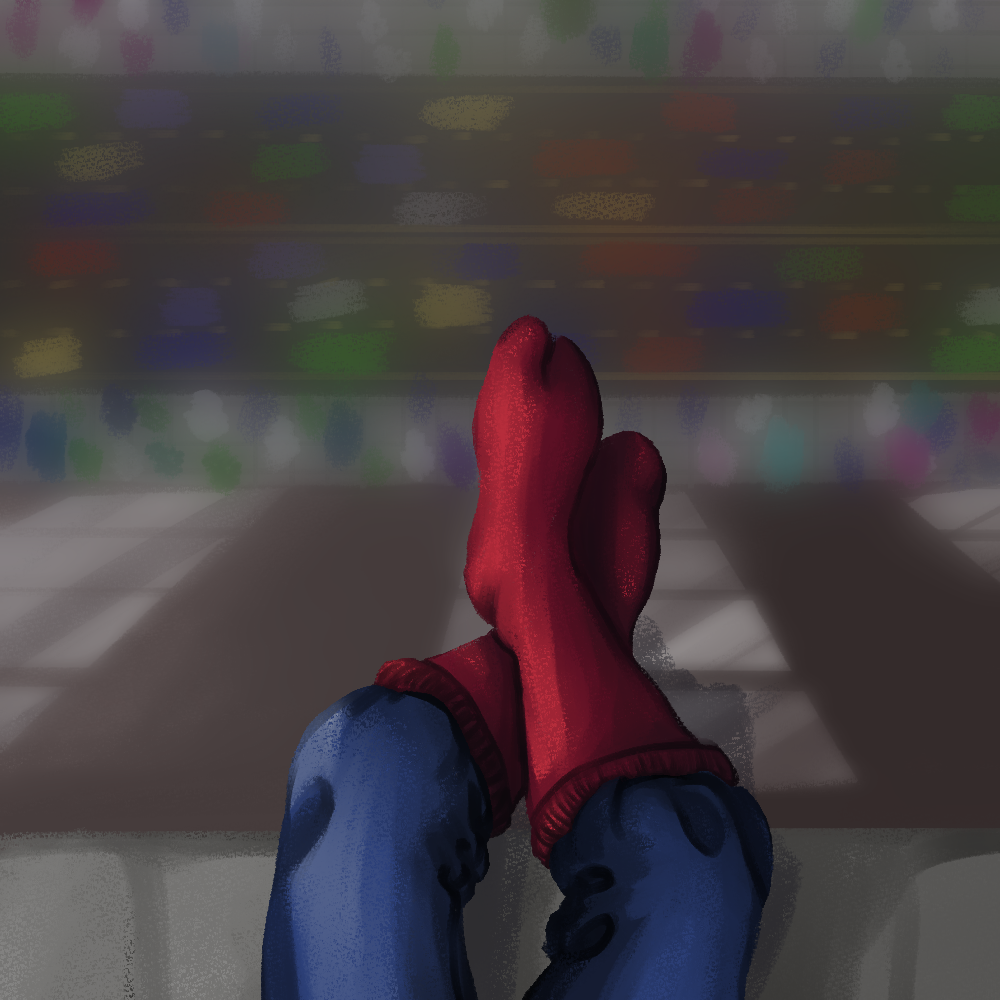 |
Without the workskin, it looks like this:
|
But of course it's not supposed to just be that size, so let's add an image class, .icon-img. Now let's take a look at the CSS of that class:
#workskin .icon-img {

width: 45px;

height: 45px;

float: left;

border-radius: 50%;

}
As you can see in this class, it limits the icon's size to 45x45 pixel, and additionally makes sure it's on the left side of the data cell and rounds the icon. So now let's try adding it to the code:
<div class="tw">

<table class="table">

<tr>

<td class="icon" colspan="2"><img class="icon-img" src="https://iili.io/H0DN3u9.png" /></td>

</tr>

</table>

</div>
With the workskin, it looks like this:
|
Without the workskin, it looks like this:
|
This fixes the icon for the workskin, but without the workskin, it's still way too big, so let's add the size limitations to the image itself:
<div class="tw">

<table class="table">

<tr>

<td class="icon" colspan="2"><img class="icon-img" width="45" height="45" src="https://iili.io/H0DN3u9.png" /></td>

</tr>

</table>

</div>
With the workskin, it looks like this:
|
Without the workskin, it looks like this:
|
As you can see, this is much better, and you don't need to worry about the image's intial size this way, even if some people may decide not to use the Creator's Style!
Now, of course a Tweet isn't complete without the post itself! Of course, we'll need to start with making another data cell, this time for the post itself. To format it, we're gonna use the class .post.
#workskin .post {

overflow: hidden;

padding-left: 0.5em;

}
<div class="tw">

<table class="table">

<tr>

<td class="icon" colspan="2"><img class="icon-img" width="45" height="45" src="https://iili.io/H0DN3u9.png" /></td>

<td class="post" rowspan="2">

</td>

</tr>

</table>

</div>
Now we can put a paragraph with the user's metadata inside!
<div class="tw">

<table class="table">

<tr>

<td class="icon" colspan="2"><img class="icon-img" width="45" height="45" src="https://iili.io/H0DN3u9.png" /></td>

<td class="post" rowspan="2">

<p>Spider-Man @realSpidey</p>

</td>

</tr>

</table>

</div>
With the workskin, it looks like this:
|
Spider-Man @realSpidey |
|
Without the workskin, it looks like this:
|
Spider-Man @realSpidey |
|
This looks pretty plain and nothing at all like Twitter, so let's introduce the .user and the .gray classes with the following CSS:
#workskin .gray {

color: slategray;

}
#workskin .blue {

color: rgb(29, 155, 240);

}
<div class="tw">

<table class="table">

<tr>

<td class="icon" colspan="2"><img class="icon-img" width="45" height="45" src="https://iili.io/H0DN3u9.png" /></td>

<td class="post" rowspan="2">

<p><span class="user">Spider-Man</span> <span class="gray">@realSpidey</span></p>

</td>

</tr>

</table>

</div>
With workskin:
|
Spider-Man @realSpidey |
|
Without workskin:
|
Spider-Man @realSpidey |
|
This, of course, changes nothing about how it looks without the workskin, so let's make the display name bold:
<div class="tw">

<table class="table">

<tr>

<td class="icon" colspan="2"><img class="icon-img" width="45" height="45" src="https://iili.io/H0DN3u9.png" /></td>

<td class="post" rowspan="2">

<p><span class="user"><b>Spider-Man</b></span> <span class="gray">@realSpidey</span></p>

</td>

</tr>

</table>

</div>
With workskin:
|
Spider-Man @realSpidey |
|
Without workskin:
|
Spider-Man @realSpidey |
|
And now we can get to actually add the contents of the Tweet!
For the Tweet, we can simply add the contents in a simple paragraph, like so:
<div class="tw">

<table class="table">

<tr>

<td class="icon" colspan="2"><img class="icon-img" width="45" height="45" src="https://iili.io/H0DN3u9.png" /></td>

<td class="post" rowspan="2">

<p><span class="user"><b>Spider-Man</b></span> <span class="gray">@realSpidey</span></p>

<p>no clue if anyone’s ever gonna follow this but hi!</p>

</td>

</tr>

</table>

</div>
With workskin:
|
Spider-Man @realSpidey no clue if anyone’s ever gonna follow this but hi! |
|
Without workskin:
|
Spider-Man @realSpidey no clue if anyone’s ever gonna follow this but hi! |
|
Now we can just add the timestamp by the bottom, add a few cosmetic things, and then we're done! First, let's add a paragraph with the timestamp and make it gray.
<div class="tw">

<table class="table">

<tr>

<td class="icon" colspan="2"><img class="icon-img" width="45" height="45" src="https://iili.io/H0DN3u9.png" /></td>

<td class="post" rowspan="2">

<p><span class="user"><b>Spider-Man</b></span> <span class="gray">@realSpidey</span></p>

<p>no clue if anyone’s ever gonna follow this but hi!</p>

<p class="gray"2:47 PM · Jul 18, 2016 · Twitter for iPhone</p>

</td>

</tr>

</table>

</div>
With workskin:
|
Spider-Man @realSpidey no clue if anyone’s ever gonna follow this but hi! 2:47 PM · Jul 18, 2016 · Twitter for iPhone |
|
Without workskin:
|
Spider-Man @realSpidey no clue if anyone’s ever gonna follow this but hi! 2:47 PM · Jul 18, 2016 · Twitter for iPhone |
|
Now to make it look a bit more like a Twitter post, which is not really necessary to sell it but makes it look a bit nicer in my opinion. Let's just add some CSS:
#workskin .line {

width: 100%;

font-weight: 300;

padding-bottom: 0.5em;

margin-bottom: 0.5em;

border-bottom: .05em solid #ddd;

}
#workskin .share {

background-image: url("https://64.media.tumblr.com/d46b27345c9cea4790756a57e42ccb6c/f2497834d8606ba7-ad/s500x750/10e4a6e3ba606786d94c2d1ddb099bf2516fd704.png");

overflow: hidden;

background-repeat: no-repeat;

background-size: contain;

background-position: center;

margin-top: 0.2em;

margin-bottom: 0.5em;

width: 100%;

min-height: 25px;

}
And now we can edit the code to implement those changes:
<div class="tw">

<table class="table">

<tr>

<td class="icon" colspan="2"><img class="icon-img" width="45" height="45" src="https://iili.io/H0DN3u9.png" /></td>

<td class="post" rowspan="2">

<p><span class="user"><b>Spider-Man</b></span> <span class="gray">@realSpidey</span></p>

<p>no clue if anyone’s ever gonna follow this but hi!</p>

<p class="line gray">2:47 PM · Jul 18, 2016 · Twitter for iPhone</p>

<p class="share">

</td>

</tr>

</table>

</div>
With workskin:
|
Spider-Man @realSpidey no clue if anyone’s ever gonna follow this but hi! 2:47 PM · Jul 18, 2016 · Twitter for iPhone |
|
Without workskin:
|
Spider-Man @realSpidey no clue if anyone’s ever gonna follow this but hi! 2:47 PM · Jul 18, 2016 · Twitter for iPhone |
|
Of course you can also add a verified checkmark with the class .verified:
#workskin .verified {

height: 1em;

padding-left: 0.2em;

position: relative;

top: 0.1em;

content: url("https://64.media.tumblr.com/5329b0baaaffea259954c6252408cd8d/f2497834d8606ba7-00/s75x75_c1/8d6a425dd1062354689c9efc2b500d8933582f5b.png");

}
<div class="tw">

<table class="table">

<tr>

<td class="icon" colspan="2"><img class="icon-img" width="45" height="45" src="https://iili.io/H0DN3u9.png" /></td>

<td class="post" rowspan="2">

<p><span class="user"><b>Spider-Man</b></span> <img class="verified /> <span class="gray">@realSpidey</span></p>

<p>no clue if anyone’s ever gonna follow this but hi!</p>

<p class="line gray">2:47 PM · Jul 18, 2016 · Twitter for iPhone</p>

<p class="share">

</td>

</tr>

</table>

</div>
It doesn't change anything if you don't use the workskin, but if you do, it looks like this:
|
Spider-Man no clue if anyone’s ever gonna follow this but hi! 2:47 PM · Jul 18, 2016 · Twitter for iPhone |
|
Another thing I like to do is keep the metadata in one line, which can be tricky if the username is long.
|
Hi i have a really long name now for demonstration purposes no clue if anyone’s ever gonna follow this but hi! 2:47 PM · Jul 18, 2016 · Twitter for iPhone |
|
For this purpose, I use the class .box.
            #workskin .user .box {
                visibility: hidden;
                width: 120px;
                background-color: black;
                color: #fff;
                text-align: center;
                padding: 5px 0;
                border-radius: 6px;
                position: absolute;
                z-index: 1;
            }

            #workskin .user:hover .box {
                visibility: visible;
            }

            <div class="tw">
                <table class="table">
                    <tr>
                        <td class="icon" colspan="2"><img class="icon-img" width="45" height="45" src="https://iili.io/H0DN3u9.png" /></td>
                            <td class="post" rowspan="2">
                            <p><span class="user"><b>Hi i have a really long name now for demonstration... <span class="box"> purposes</span></b></span> <img class="verified /> <span class="gray">@realSpidey</span></p>
                            <p>no clue if anyone’s ever gonna follow this but hi!</p>
                            <p class="line gray">2:47 PM · Jul 18, 2016 · Twitter for iPhone</p>
                            <p class="share">
                        </td>
                    </tr>
                </table>
            </div>
Then it looks like this!
|
Hi i have a really long name now for demonstration... purposes no clue if anyone’s ever gonna follow this but hi! 2:47 PM · Jul 18, 2016 · Twitter for iPhone |
|
Without workskin:
|
Hi i have a really long name now for demonstration... purposes @realSpidey no clue if anyone’s ever gonna follow this but hi! 2:47 PM · Jul 18, 2016 · Twitter for iPhone |
|
And there you have it—a singular Tweet that looks like it's been taken straight from Twitter (when the Creator's Style is shown) or is at least formatted nicely (when the Creater's Style is hidden). Now the full CSS so you can just straight copy-paste and use it:
#workskin .tw {

max-width: 500px;

font-family: "Helvetica Neue", Helvetica, Arial, sans-serif;

margin: auto;

border-style: solid none;

border-width: .1em;

border-color: lightgray;

padding: 1em;

}
#workskin .tw p {

margin: 0;

}
#workskin .table {

table-layout: fixed;

vertical-align: top;

width: 100%;

border-collapse: collapse;

}
#workskin .icon {

width: 45px;

height: 45px;

}
#workskin .icon-img {

width: 45px;

height: 45px;

float: left;

border-radius: 50%;

}
#workskin .post {

overflow: hidden;

padding-left: 0.5em;

}
#workskin .user {

font-weight: bold;

}
#workskin .user .box {

visibility: hidden;

width: 120px;

background-color: black;

color: #fff;

text-align: center;

padding: 5px 0;

border-radius: 6px;

position: absolute;

z-index: 1;

}
#workskin .user:hover .box {

visibility: visible;

}
#workskin .gray {

color: slategray;

}
#workskin .blue {

color: rgb(29, 155, 240);

}
#workskin .line {

width: 100%;

font-weight: 300;

padding-bottom: 0.5em;

margin-bottom: 0.5em;

border-bottom: .05em solid #ddd;

}
#workskin .share {

background-image: url("https://64.media.tumblr.com/d46b27345c9cea4790756a57e42ccb6c/f2497834d8606ba7-ad/s500x750/10e4a6e3ba606786d94c2d1ddb099bf2516fd704.png");

overflow: hidden;

background-repeat: no-repeat;

background-size: contain;

background-position: center;

margin-top: 0.2em;

margin-bottom: 0.5em;

width: 100%;

min-height: 25px;

}
#workskin .verified {

height: 1em;

padding-left: 0.2em;

position: relative;

top: 0.1em;

content: url("https://64.media.tumblr.com/5329b0baaaffea259954c6252408cd8d/f2497834d8606ba7-00/s75x75_c1/8d6a425dd1062354689c9efc2b500d8933582f5b.png");

}